Find your time, corner by corner
Per-corner metrics, sector times, and a friction circle that show exactly where you're fast, where you're not, and how much grip is still on the table.
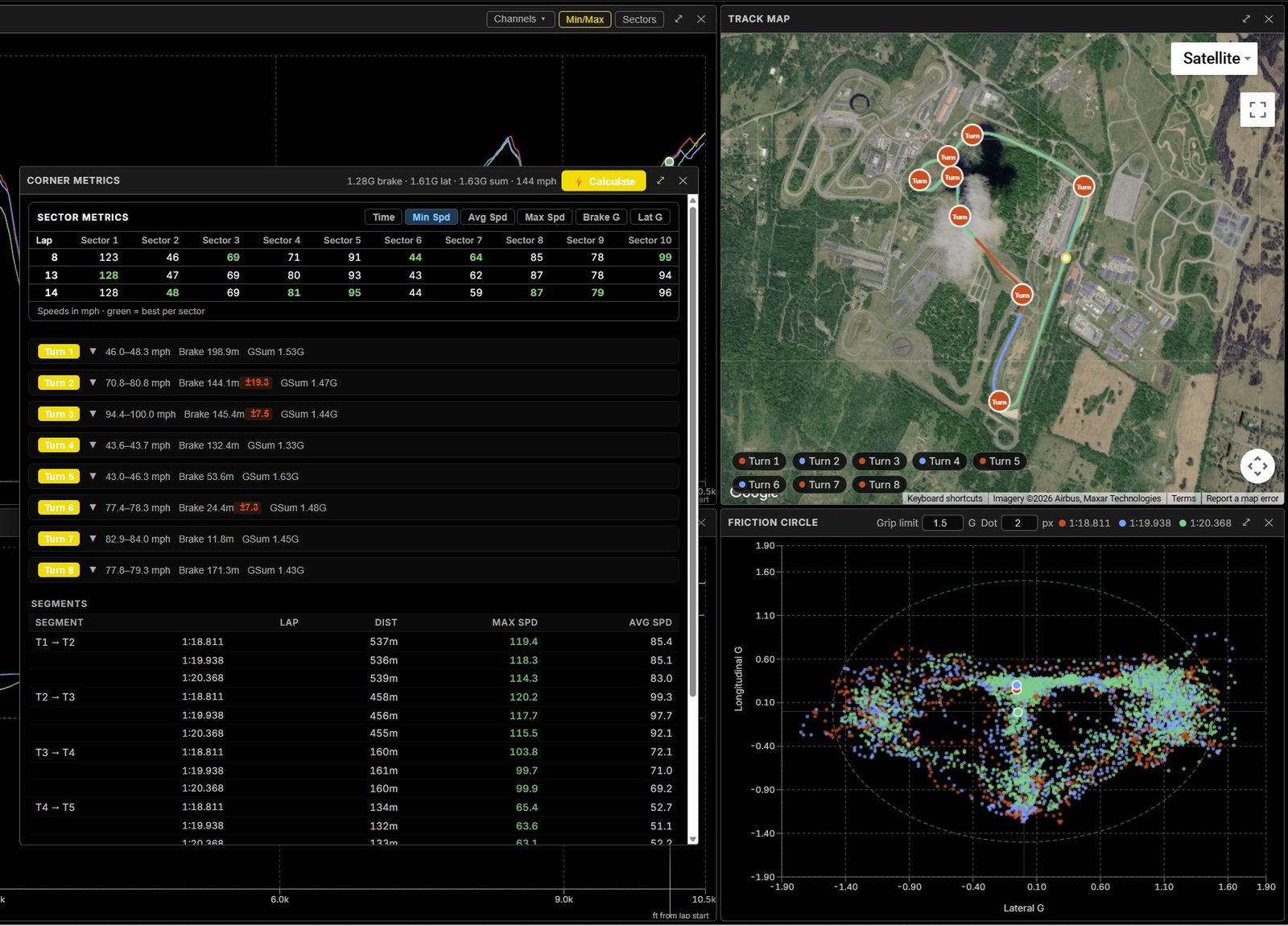
Every corner, measured
Corners are detected automatically and saved per track, then measured on every lap. For each one you get the brake point, minimum speed, throttle pickup, trail-braking, combined-G (GSum) usage, and time delta against a reference lap — so "I think I lift early in Turn 6" becomes a number you can chase.
Sectors and segments
Sector and segment times slice the lap into pieces, with your best sector highlighted so you can see which stretches gain or lose time across laps. Combine your best sectors into a theoretical-best lap to see what you already have in you on the day.
The friction circle
The friction circle plots lateral against longitudinal G to show how much of the tire's grip you actually used. Points hugging the edge of the envelope mean you're near the limit; gaps — especially in the transitions between braking and cornering — reveal where there's more time to take.
On the map, in context
Numbered corners sit right on a satellite track map, color-coded and clickable, so every metric ties back to a real place on the circuit. Hover a corner and the whole workspace highlights it.
FAQ
What corner metrics does it compute?
Brake point, minimum speed, throttle pickup, trail-braking, combined-G (GSum) usage, and time delta versus a reference lap — plus sector times and the friction circle.
What is a friction circle?
A plot of lateral vs. longitudinal G showing how much grip you used. Points near the edge mean you're at the limit; gaps show where there's more to take.
How do sector times help?
They break the lap into pieces so you can see which stretches gain or lose time, and build a theoretical-best lap from your best sectors.
See where your time is going
Upload a session and break down every corner — free.
Get started — free